Starz
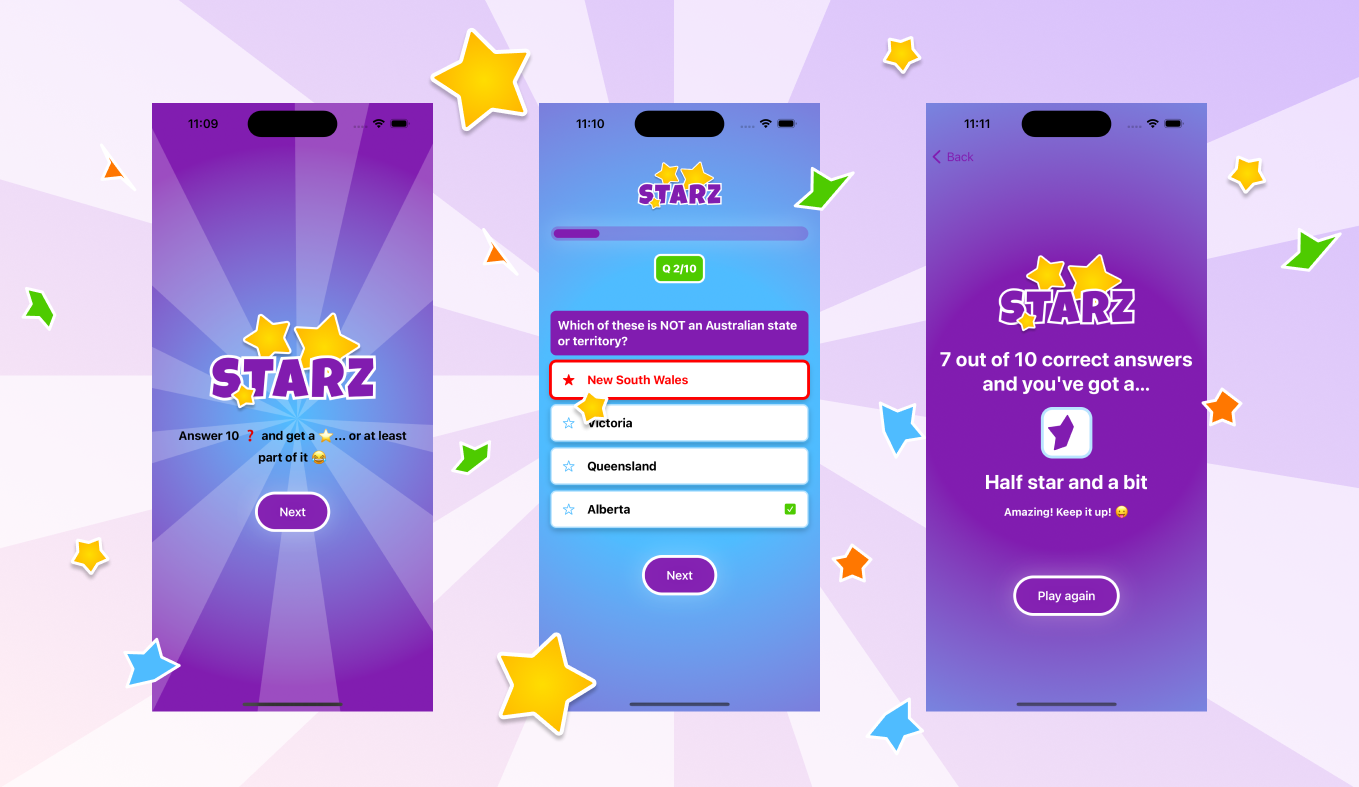
Starz is a trivia app which I designed and coded on my own
Project Details
2 months
UX Designer, iOS Developer, Learner
Overview
Let me take you back to 2017 when I got my hands on my very first (and only) iPhone. That's when this wild idea popped into my head - why not code my own app and put it out there on the App Store? 😎 It seemed like a piece of cake - a super simple app with just 1-2 features, no fuss, no frills. No sign-ups, no annoying ads, and best of all, totally free! Just pure functionality. Now, let's dive into the juicy stuff - the epic tale of my coding journey. There were moments of *Aha!* when things clicked like magic. And of course, some *Ugh!* moments when I stumbled upon typos and other problems. But hey, that's all part of the adventure, right? 😅
My journey with Xcode
Trust me, this was a wild ride 😅 When I first downloaded Xcode, I was overwhelmed by the sea of icons and buttons. Watching YouTube tutorials didn't exactly help either. Xcode, in case you didn't know, is the software Apple created for developers to code native apps.
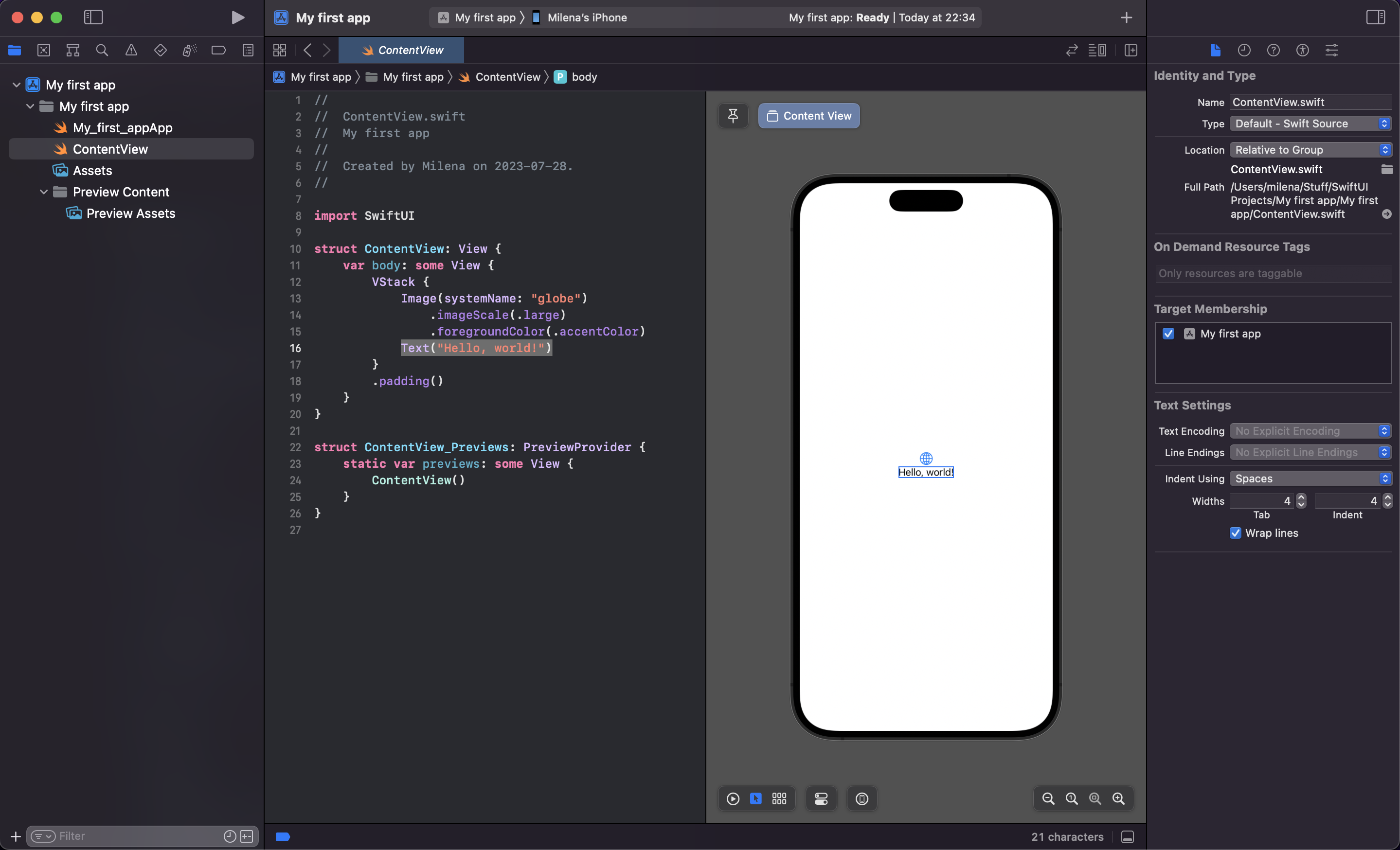
If you've never seen Xcode - here it is
Getting a course
I knew I needed a more structured approach, so I found an awesome course on designcode.io. 🚀 This course had it all - videos, text, source files - everything in a super understandable way. No questions, no problems, just smooth sailing.
I started coding right away, tackling the basics before jumping in a series of tutorials about coding a Trivia Game app. The most complicated part here was setting up the API that is needed to load different questions from an open source question bank. I followed the steps in the tutorial and got it working without a problem 💪
Game structure
The game itself is pretty simple - hit a button to start, get 10 random questions with 4 possible answers each, and click your way to glory 🎮 The end screen shows you how many points you scored, one point for every correct answer. This is the original design accourding to the tutorials, I've slightly changed the colors.
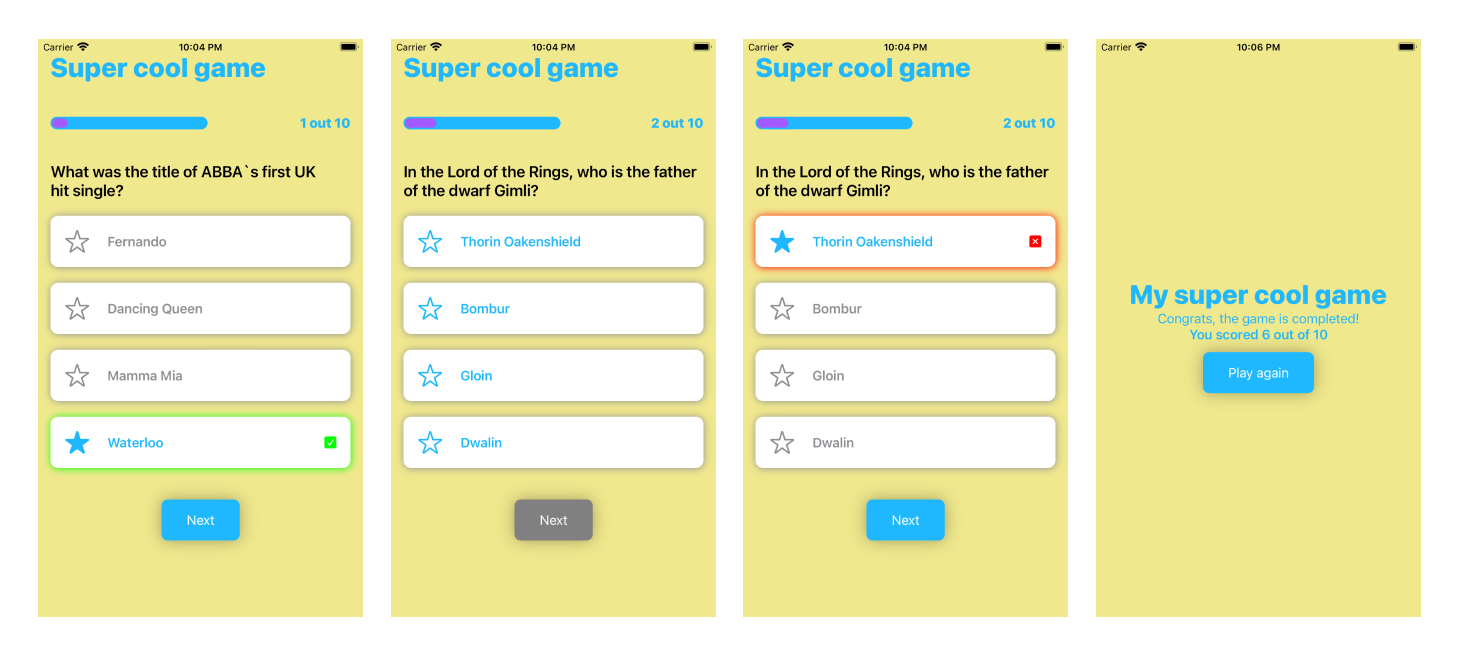
The game is working, I know the colors are weird but the functionality is fine.
Design in Figma
I couldn't resist making the design more game-like and spicing it up with animations and sounds. So, I took a quick detour to Figma and then translated my creative spree into code
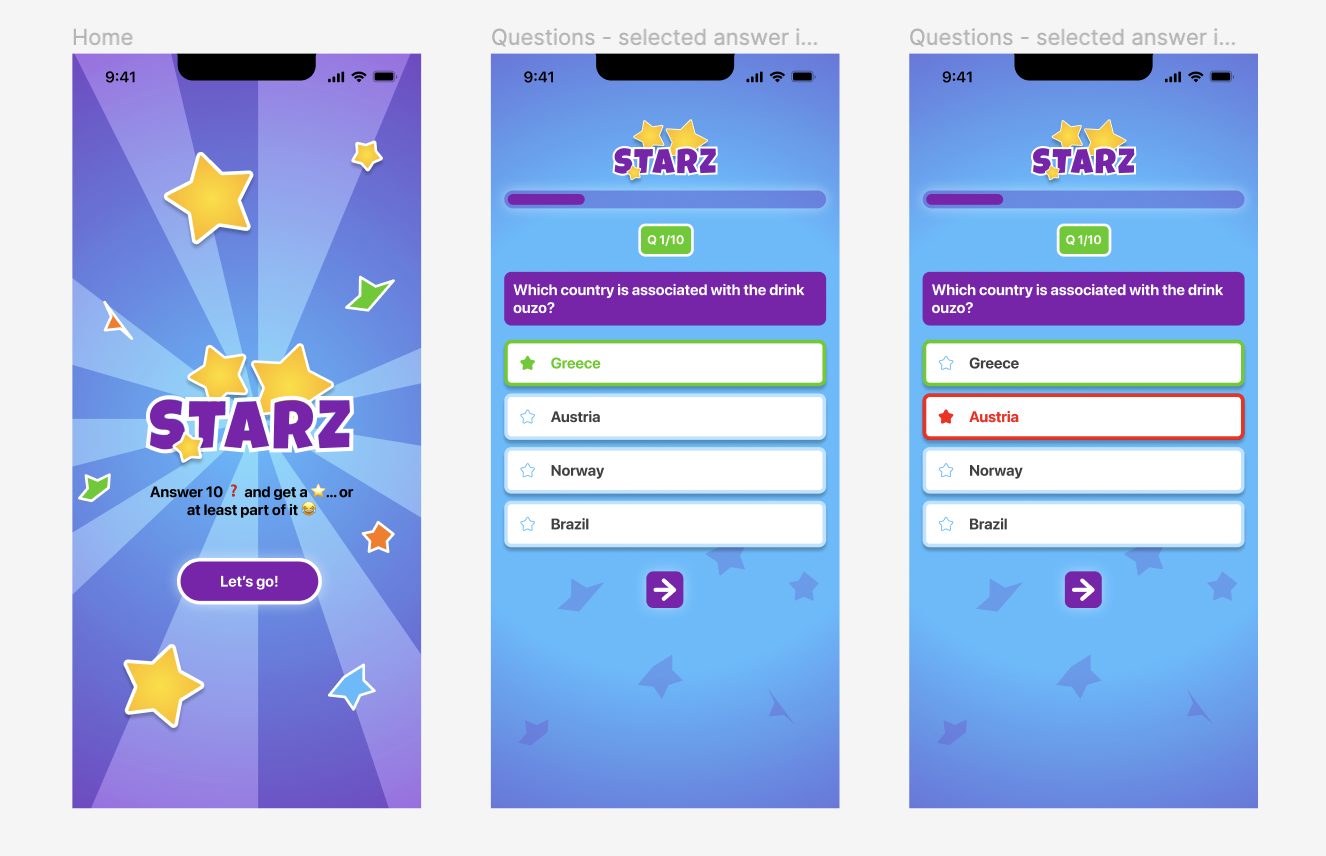
My design in Figma
Coding a new feature
Now, here comes the real challenge - coding a new feature. I was determined to get the correct answer prompt when I selected the wrong one. 🧠 And boy, did it push my limits! Countless trials and errors later (okay, maybe not a million, but close enough 😄), I finally nailed it! Victory dance time! 💃🕺
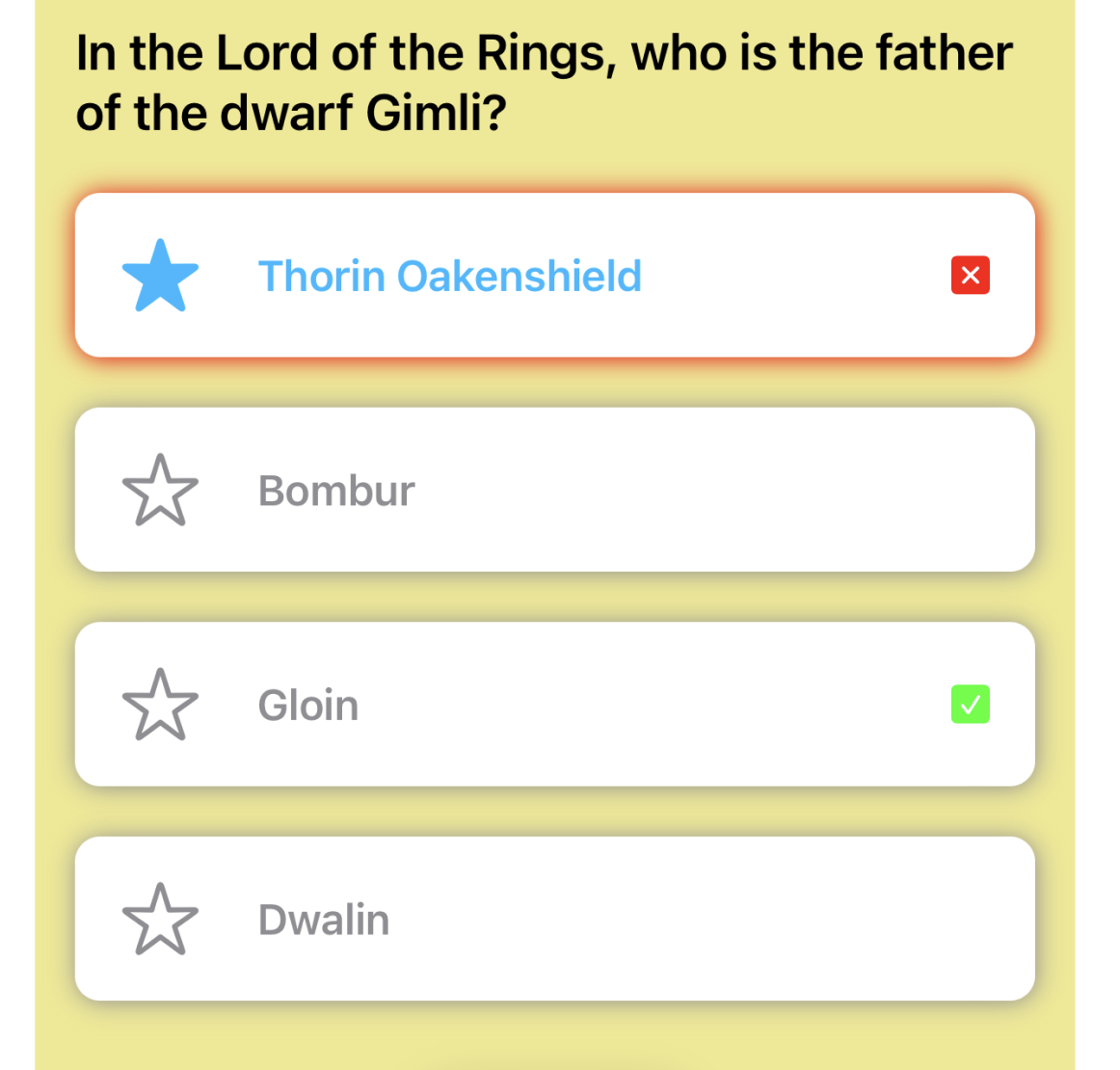
I haven't watched Lord of the Rings ok?👆 And yes, I don't know who is the father of the dwarf… but now with my new feature I can learn that!!
Progress updates
Some screenshots from my progress
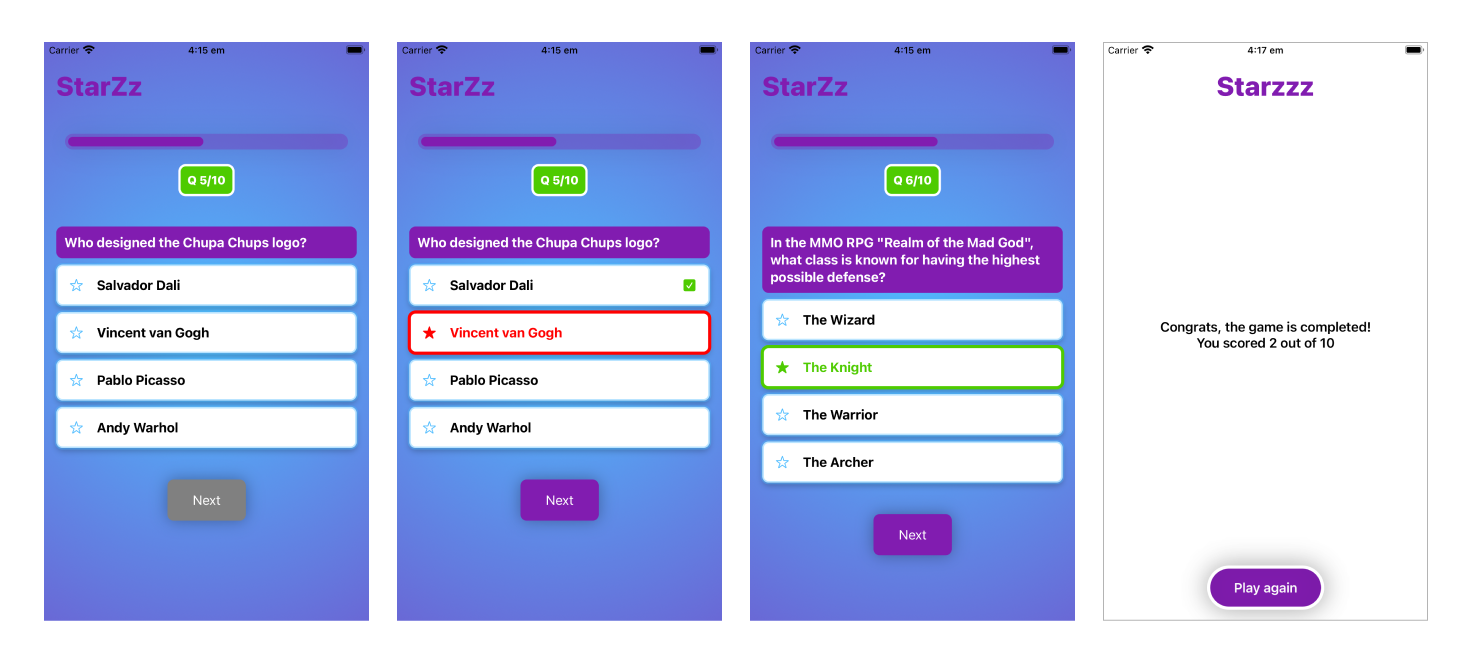
The final screen is not designed yet.
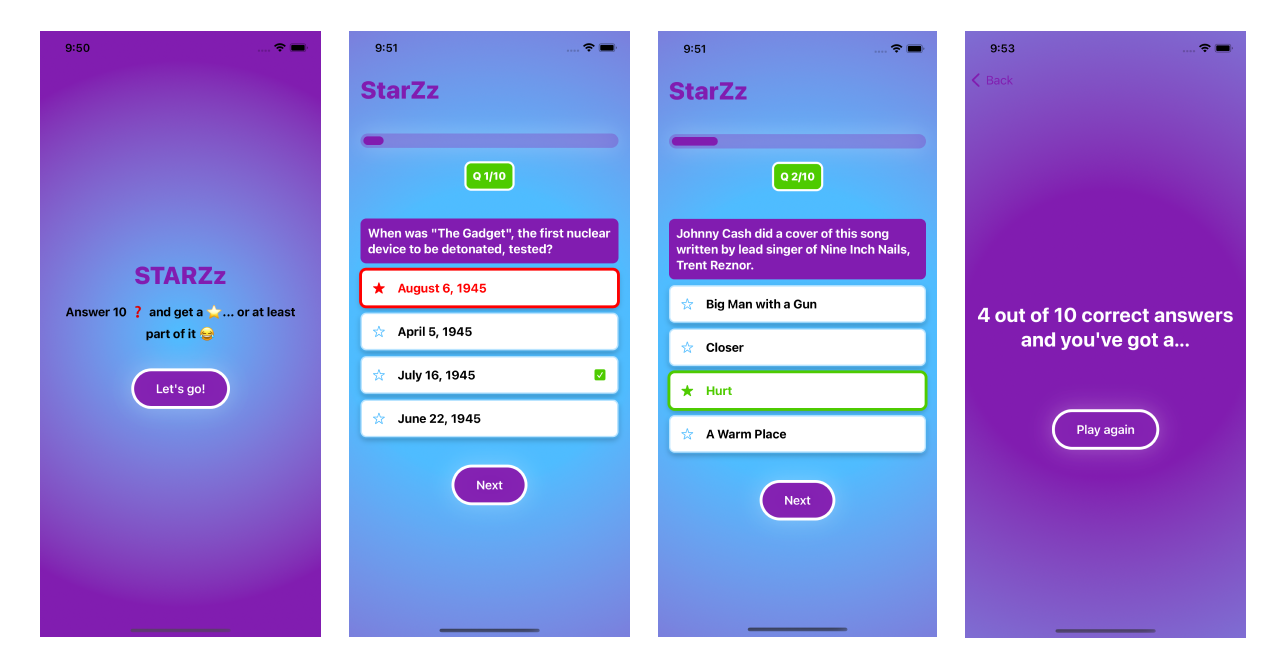
The shape of the button is changed and the final screen has colors
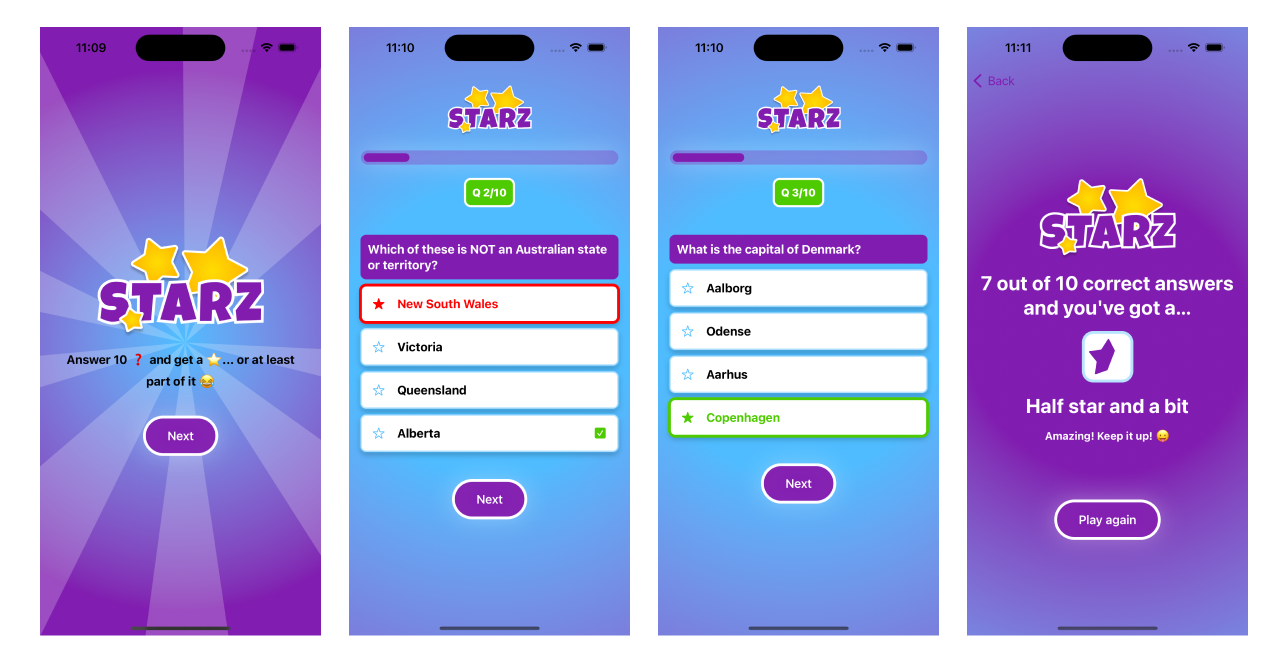
Logo is added and the final screen has more updates
Some conclusion
All in all, working on this project was a rollercoaster, but I wouldn't trade it for the world. Learning, experimenting, and triumphing - that's what it's all about! 🚀🎉 And yes, it's not finished yet but I'm taking my time and coming back to it when I have time.